1. Export a CSV marker file from Pix
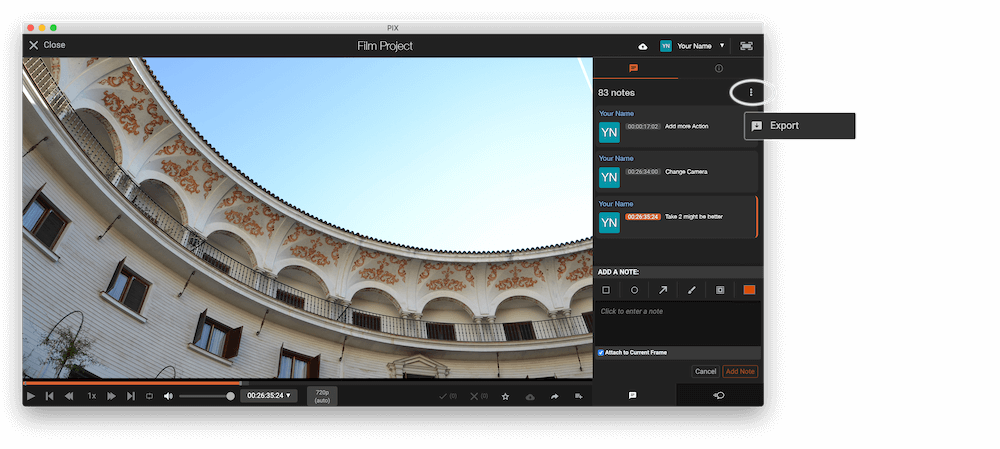
Open the comments panel on the right side in Pix. Press the three dots and select "Export". Now you can then download the CSV file from Pix.
2. Use the "Marker Konverter" to convert the CSV marker file into a ptx marker file
Open the free Marker Konverter, select "Pix Systems > Comments (.csv)" and set "convert" to "Pro Tools > PTX File (.ptx)". Generate and download the file. Wenn du Probleme beim Konvertieren der Datei hast, kannst du dich an den kostenlosen Support wenden.
3. Import the ptx marker file into Avid ProTools
To import markers go to "File -> Import -> Session Data". Select the ptx file and make sure to check the "Ruler Markers" box in the Session Data panel before pressing OK. Your markers should now be imported into our ProTools Session.
🚀 Fertig
Das war's fürs Erste! Wenn du dieses Tutorial hilfreich fandest, teile es bitte, um uns zu unterstützen. Wenn du Vorschläge hast, wie wir den Workflow verbessern könnten, lass es uns wissen!