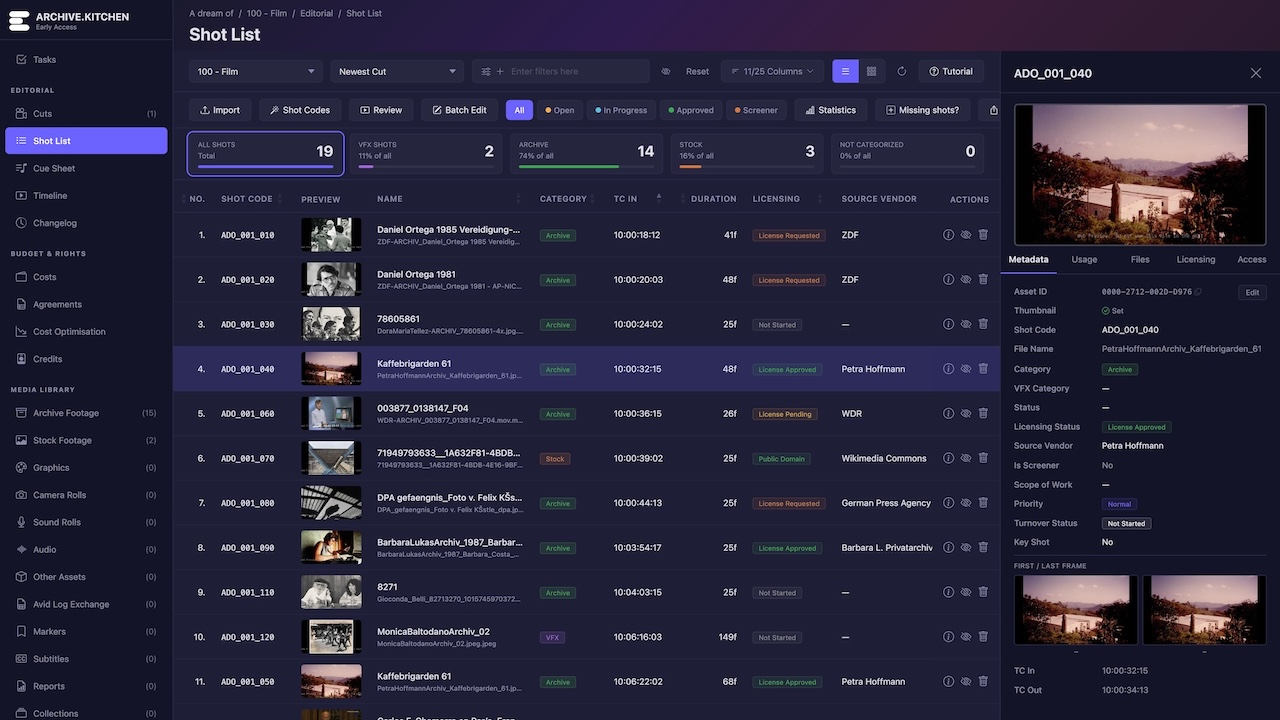
The Archive Production Manager for film and series post-production. One place to manage archive footage, VFX shots, vendors, costs, licensing, credits, shot lists and editorial metadata. Upload a new cut and everything updates automatically.
| VFX_014_020 | Approved | Framestore | VFX |
| ARC_003_005 | In Review | BBC Archive | Archive |
| VFX_022_010 | Needs Review | DNEG | Cleanup |
| STK_008_015 | Estimate | Shutterstock | Stock |
Export a sequence from your editing software and upload it with a video playout. Archive.Kitchen handles EDL, XML and FCPXML files, transferring timecode-relevant shot data from Adobe Premiere Pro, Avid Media Composer, Apple Final Cut X and DaVinci Resolve. Shot lists, previews, thumbnails and statuses are then updated automatically.
Everything links together. Cuts, shots, clips, vendors and budgets all reference each other, so changing something once updates it everywhere. Filter by category to see VFX, archive and stock shot counts at a glance, and sort, group and edit entries directly in the list.
Monitor licensing status and costs per clip, and see spend versus allocation across VFX, archive and stock. Track which clips come from which archive or vendor, manage credit text for overlays and end credits, and keep the whole production on budget from a single overview.
Import or build a database of all your archive footage and share files with the editorial team. Each film archive page shows clip and shot counts, while preview videos, thumbnails and proxies are generated automatically so everyone works from the same source media.
| BBC Archive | 128 clips | Licensed |
| Getty Images | 64 clips | Pending |
| National Archive | 42 clips | Licensed |
| Private Collection | 19 clips | Unclear |
Different jobs need different views. Archive.Kitchen adapts its interface for archive producers, film editors, assistant editors, VFX editors, VFX supervisors and post supervisors, so each team sees exactly the tools and metadata relevant to their work.
A built-in drag & drop task board keeps the team coordinated, while changelogs track the differences between cut versions. Visual timelines provide a complete overview and recommended tasks help you address anything new in each upload.